CALL 800-985-6929
Mon-Fri 7AM - 7PM CST



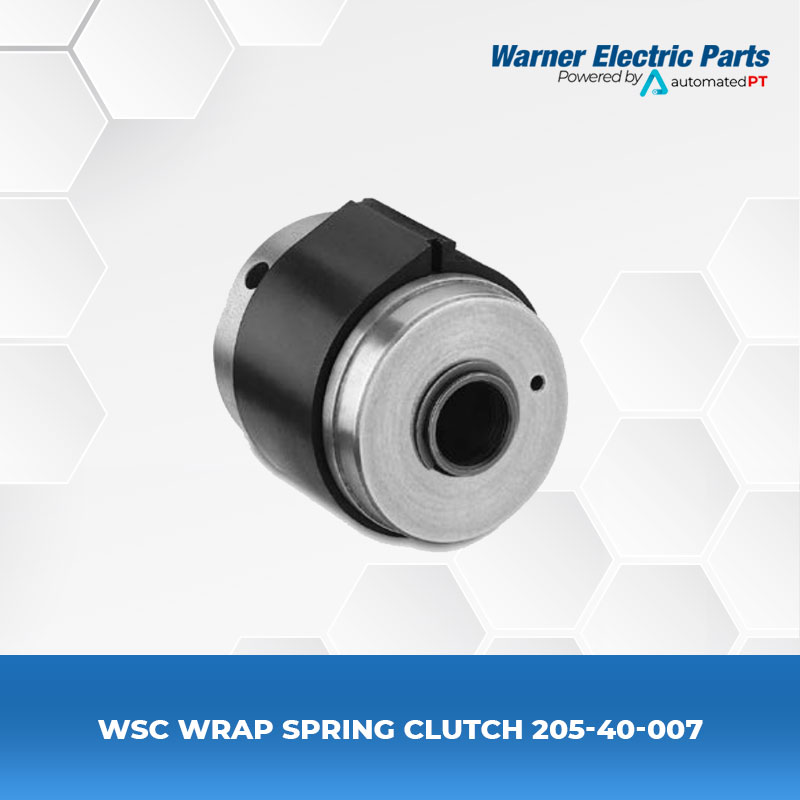
Warner WSC Wrap Spring Clutch 205-40-007
- 205-40-007
- Wrap Spring Clutches and Clutch/Brakes
- Model Size: WSC-5
- Static Torque: 250 lb. in.
- Max RPM: 750
- Bore Size: 1/2″
- Rotation: CCW
Part Number: 205-40-007
Model: WSC-5
Bore Size: 0.5″
Operation: S (start/stop)
Rotation: CCW
Input: Shaft
The WSC series wrap spring clutches are simple, trouble free, and easy to install which feature a high torque capacity in a small compact package. The WSC Series is mechanically actuated which eliminates the need for external electrical control devices.
Features:
• Mechanically actuated
• Choice of hub or shaft input
• Self lubricating, no maintenance
• Simple mechanical actuation
• Easy-to-machine hubs readily adapt to application needs
• Single stop collars for single revolution operation multistops for less than one turn
Three Different Operating Styles Available
Available Power Supply Units
One Shot Octal Socket Power Supply
Part Number: 901-00-019
Warner Electric’s One Shot Power Supply is a plug-in clutch/brake control designed for operation of AC or DC wrap spring clutches and brakes with a D-frame coil. The One Shot provides a single voltage pulse of 160 or 325 VDC for approximately 20MS, whether the customer supplied switch is momentarily closed or held closed. The One Shot Power Supply is UL Listed when used with Warner Electric’s octal socket, part no. 6001-101-001, or DIN rail mount octal socket, part no. 6001-101-002 (each purchased separately) and only UL-Recognized when used with other sockets. This unit may be mounted in any convenient position using the two mounting holes provided on the socket. Actuating the single pole, double throw (SPDT) switch energizes the solenoid coil. Releasing or resetting the switch charges an internal capacitor. A minimum of 20 milliseconds cycle time is required between operations.
Note: Designed for use with actuator limit stop option.
Part Number: 901-00-014
The One Shot Power Supply is available for use with standard AC as well as DC D-Frame coils. The one shot provides a single overexcite voltage pulse whether the switch is momentarily closed, or held closed. The unit operates on either 120 or 230 AC, 50/60 Hz power and may be mounted in any convenient position by use of two mounting holes for #8-32 screws.
Note: Designed for use with actuator limit stop option and D-frame coil.
Manuals and Specifications
 |
||
| Catalog | Warner Electric UM-C Series UniModule – Ceramic Faced Catalog | |